MCP
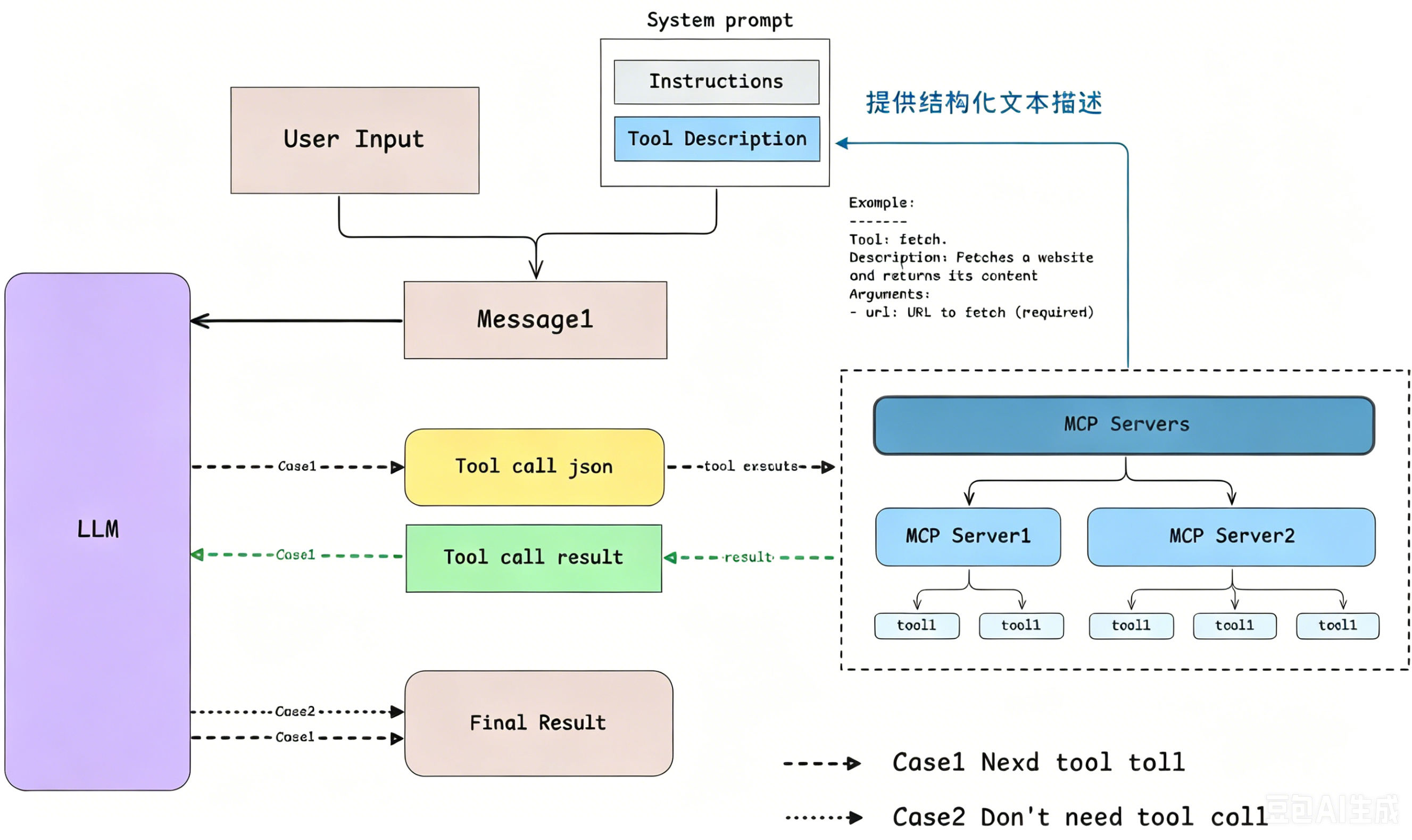
让 LLM 调用外部工具的通信协议
MCP Server 开发实践
基于 AI 辅助编写 MCP Server
text
请基于 node 实现一个标准的 MCP(Model Context Protocol)Server,严格遵循 MCP 协议规范。

功能需求:

- 自动获取当前操作系统的桌面路径
- 统计桌面上所有 .txt 后缀的文件数量
- 获取桌面上所有 .txt 文件的文件名列表(不含路径,仅文件名)
- 暴露两个 MCP 工具:count_txt_files、list_txt_files

实现要求:

- 兼容 Windows 平台
- 增加异常处理(文件权限、桌面路径不存在)
- 代码简洁、注释清晰、符合生产最佳实践
- 输出完整可运行代码 + 安装依赖命令 + 运行方法
使用 inspector 调试 MCP Server
bash
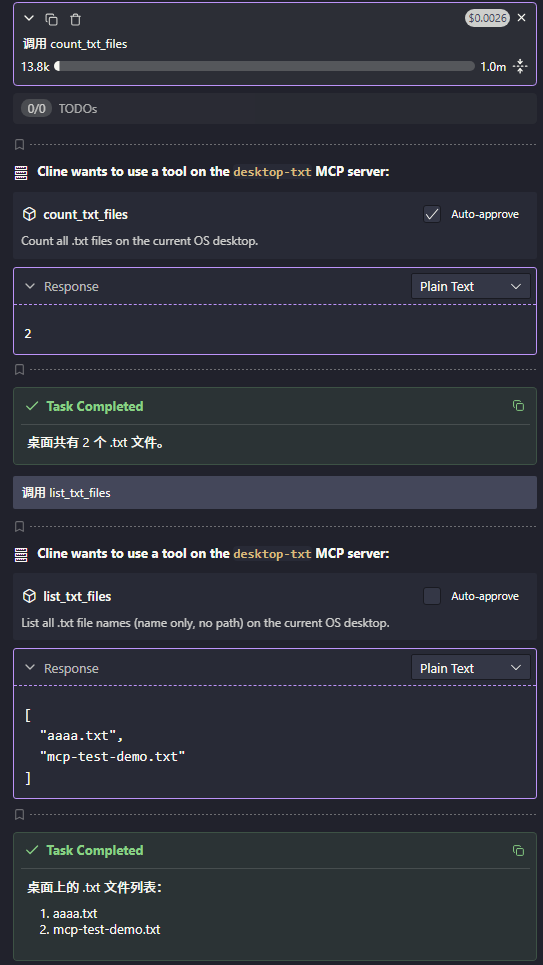
npx @modelcontextprotocol/inspector node src/index.js自动打开浏览器,点击 Connect -> List Tools -> 选择 count_txt_files 或 list_txt_files -> 点击 Run Tool。
即可看到运行结果。
在 Cline 中测试 MCP Server
配置 MCP Server
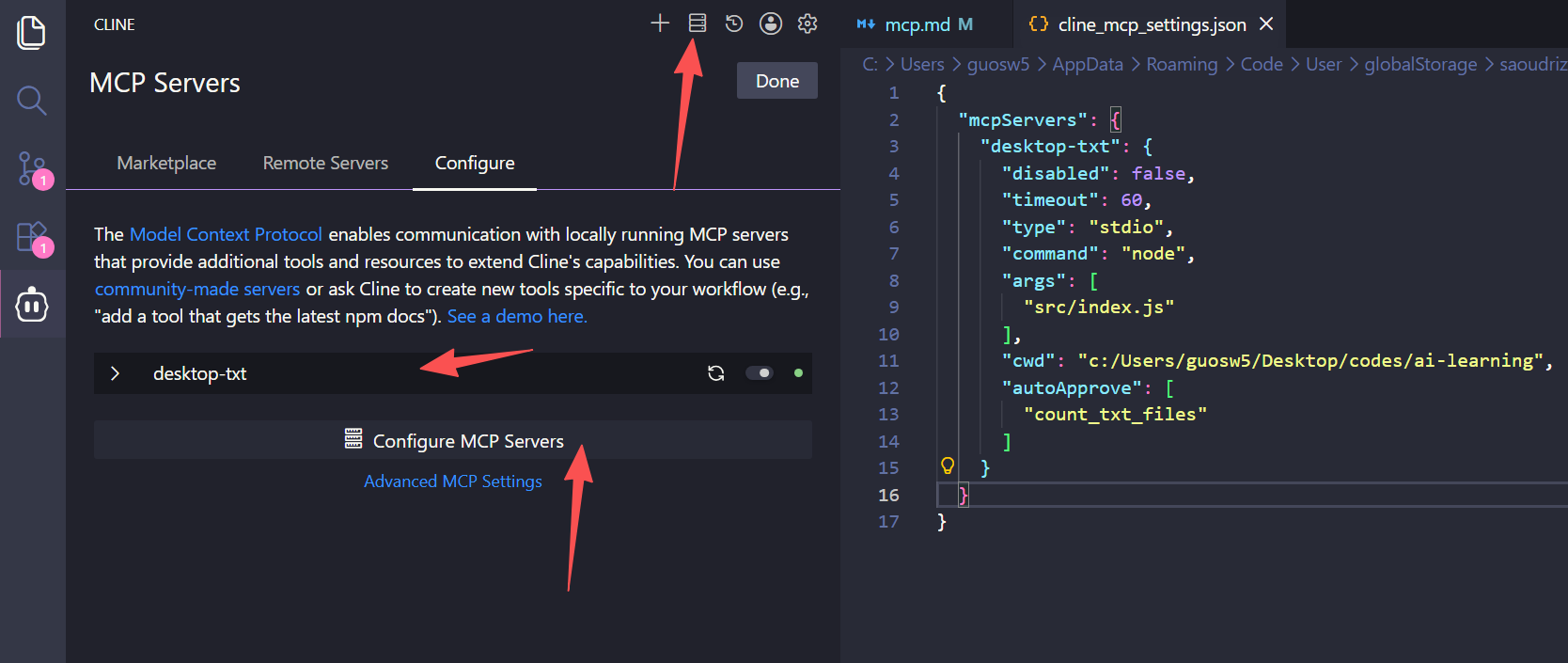
在 vscode 打开 Cline 插件,点击 mcp servers, Configure, Configure, 配置:
json
{
  "mcpServers": {
    "desktop-txt": {
      "command": "node",
      "args": ["src/index.js"],
      "cwd": "c:/Users/guosw5/Desktop/codes/ai-learning"
    }
  }
}
验证写好的 mcp server